

In a way, our Marketing Department acts as a social media mentor to you. All you have to do is follow our corporate business pages and take a look at all of the posts we are putting up. You can even Share the content we post and be done with your social media for the day within just a few clicks.
Here’s how to share a Facebook post:
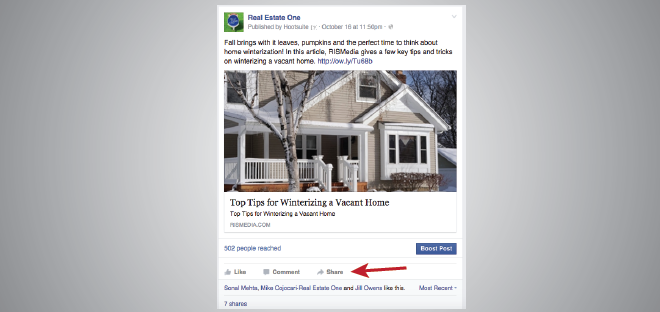
1. Find the Facebook post that you want to share and click the grey Share button near the bottom of the post.
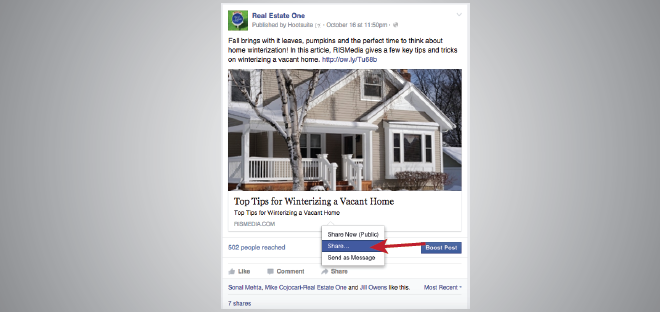
2. Choose the “Share” option or you can send this post as a private message if you want to only share the post with a certain individual.
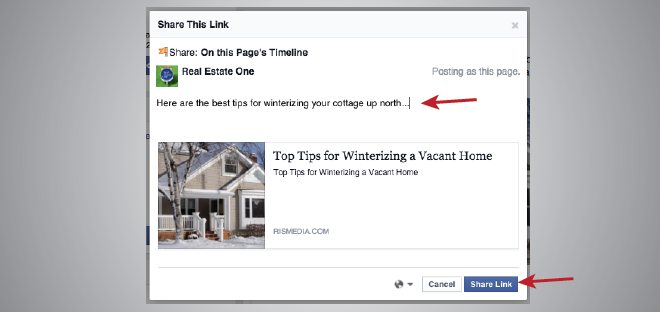
3. Type in your thoughts about the content you are sharing and then click the “Share” button. The post has now been added to your profile and Newsfeed.
Other Recent Posts

2020 Year Achievements Flyer
Despite the challenges, 2020 was a great year for our family of companies. Share our accomplishments with your network and clients with this new flyer, featuring our top accomplishments and numbers from 2020. A [...]
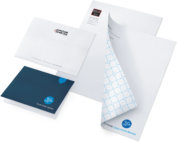
What’s New #4 – New Folders & Stationery
What's New 4 - New Folders & Stationery Elevate your everyday communication efforts with personalized stationery and matching folders. All available at GSIprint.com (login and password below). Brand Real Estate One Max Broock [...]
Email Signature Generator
Make sure your last impression is a great one with our new email signature generator.