

Did you know you can make a video for your listing through a feature on OurOnePlace.net?
The word “video” may feel a bit intimidating, but we promise it’s very simple! No complex editing required!
Here’s what you do:
1. Log in to OurOnePlace.net and click “My Listings”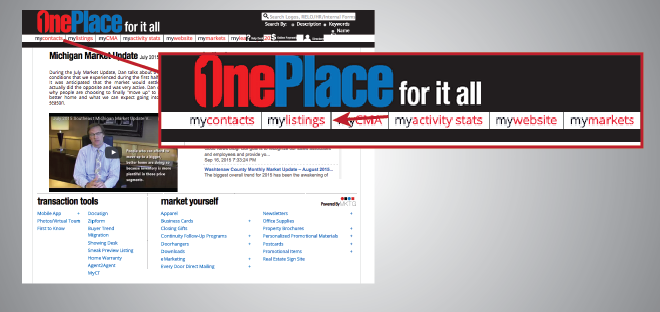
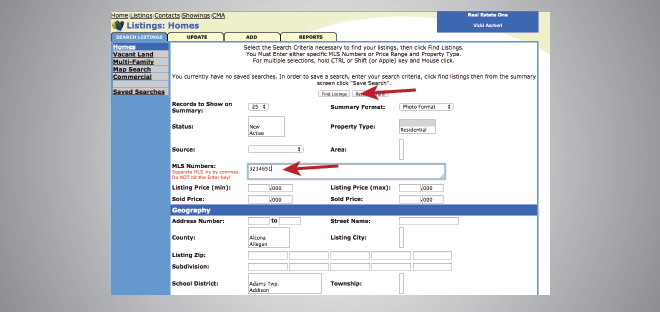
2. Type in your MLS number in the designated area and click “Find Listing”
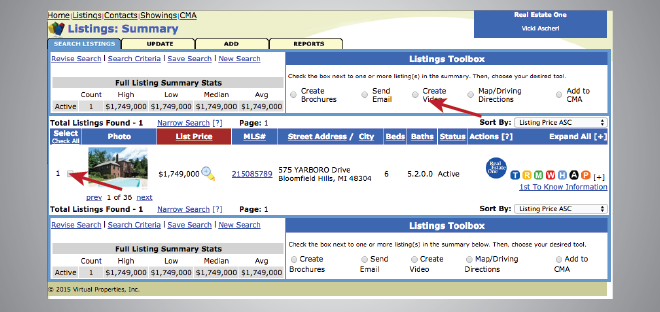
3. Check the box next to your listing and then select the “Create Video” option near the top of the page
4. Go through the various steps that are prompted to you, from choosing the photos featured in your video to selecting the music that will play
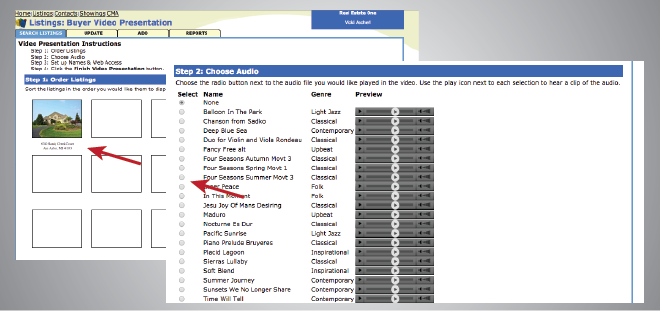
5. Fill out the remaining details such as the title of the video or any specific contact information you want featured in the video, then click “Finish Video Presentation”
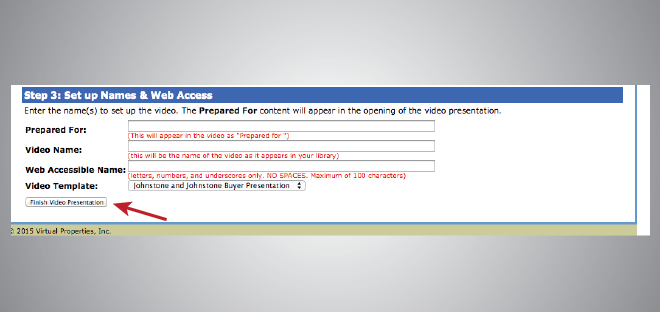
You will be notified via email when the video presentation is live on YouTube and ready to share with clients!
Other Recent Posts

2020 Year Achievements Flyer
Despite the challenges, 2020 was a great year for our family of companies. Share our accomplishments with your network and clients with this new flyer, featuring our top accomplishments and numbers from 2020. A [...]
What’s New #4 – New Folders & Stationery
What's New 4 - New Folders & Stationery Elevate your everyday communication efforts with personalized stationery and matching folders. All available at GSIprint.com (login and password below). Brand Real Estate One Max Broock [...]
Email Signature Generator
Make sure your last impression is a great one with our new email signature generator.